How to play PokeBonk
PokeBonk is a free browser-based 3D survivor game. Open the official site, enter as a guest or with an account, choose a partner, then start either Classic or Survival. During a run, keep moving, watch the arena and read each level-up card before choosing a new move, a move upgrade, or another bonus.
Start on the official game site
Use pokebonk.com. The project’s legal notice says the game is played in a browser and is not distributed through app stores. The live landing screen currently offers Guest, Sign in, and Create account paths. A guest session is enough to start, but it creates device-linked progress on the game’s server.
- Open the official game in a modern browser.
- Choose Guest if you do not want to create a named account.
- Read the current partner, region and mode screens before confirming a run.
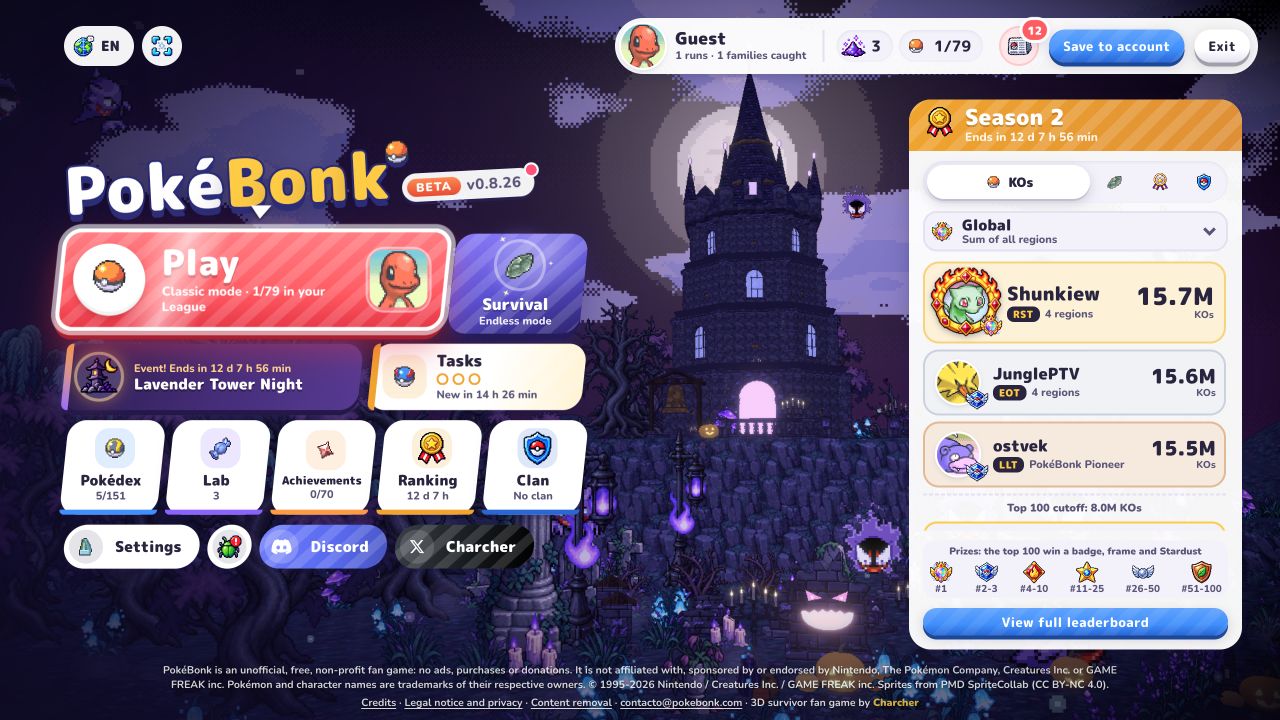 Verified gameplay · Beta v0.8.26
Editorial guide use · Game imagery belongs to its respective rights holders.
Understand the run loop
The verified game footage shows a 3D arena viewed from above. Enemies approach from the map while the HUD tracks your partner, level, timer, phase or objective, and available moves. Your first goal is not a perfect build; it is learning how to move through open space while automatic attacks and cooldowns resolve.
Leveling pauses the action and presents three cards. The observed card types included a new move, a vitamin-style stat choice, and an upgrade to a move already owned. Offers can change, so this guide does not prescribe an exact first pick.
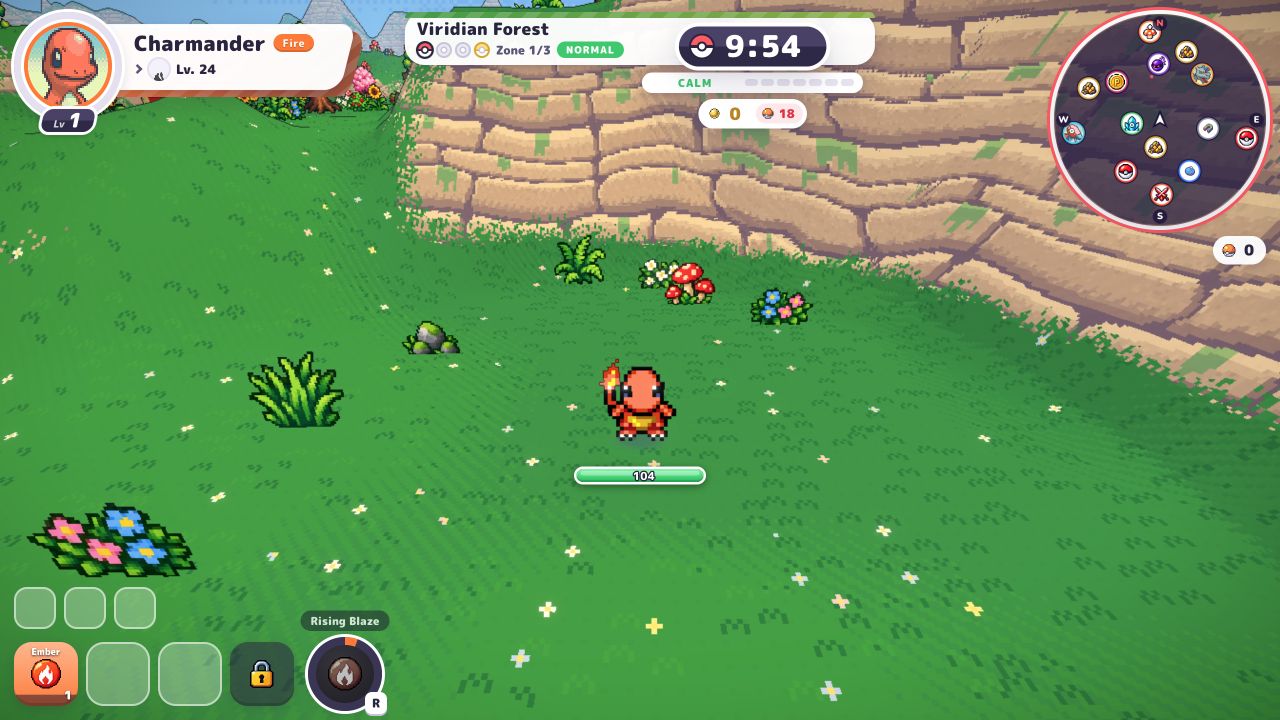 Verified gameplay · Beta v0.8.26
Editorial guide use · Game imagery belongs to its respective rights holders.
PokeBonk beginner walkthrough
Menus, starter selection and an early run.
Watch on CD喜德’s channelChoose Classic or Survival
Classic and Survival are separate run structures shown in the current official client. Classic uses zones, guardians and a shrine. Survival is labeled as an endless format with hordes and milestones. Start with the mode whose on-screen objective you find easier to follow, then keep that mode constant while learning a new partner.
- Classic: follow the current zone, guardian and shrine objective.
- Survival: watch elapsed time, the horde and the next milestone.
- Use the game modes guide for the differences that matter before a run.
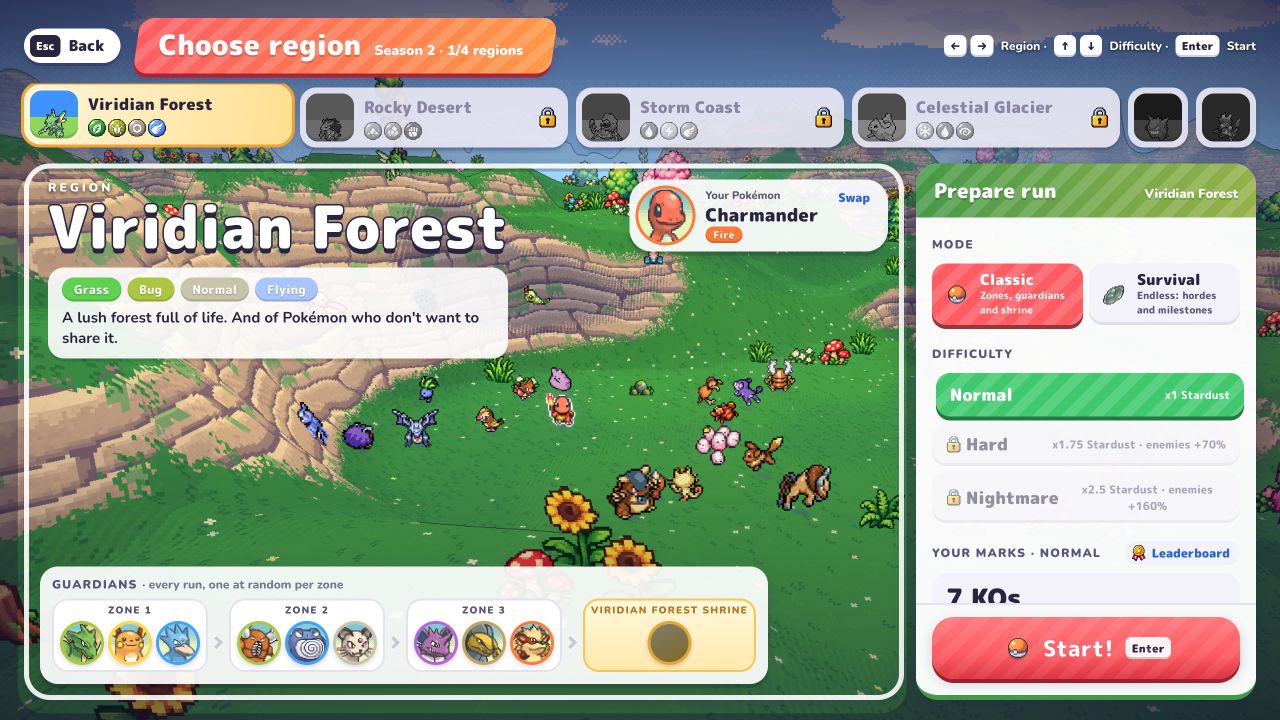 Verified gameplay · Beta v0.8.26
Editorial guide use · Game imagery belongs to its respective rights holders.
Use the in-game control reference
These defaults were checked directly in Settings → Keys in Beta v0.8.26. Bindings can be changed, so the current settings screen remains the final authority.
- W/A/S/D move; Space jumps; Shift slides or performs an air dive.
- E interacts; R uses Ultimate; right mouse locks a target; Q toggles auto/manual aim.
- T toggles auto-run; M opens the map; Y toggles auto Ultimate; P pauses.
- On level-up: F refreshes, X skips and Z banishes.
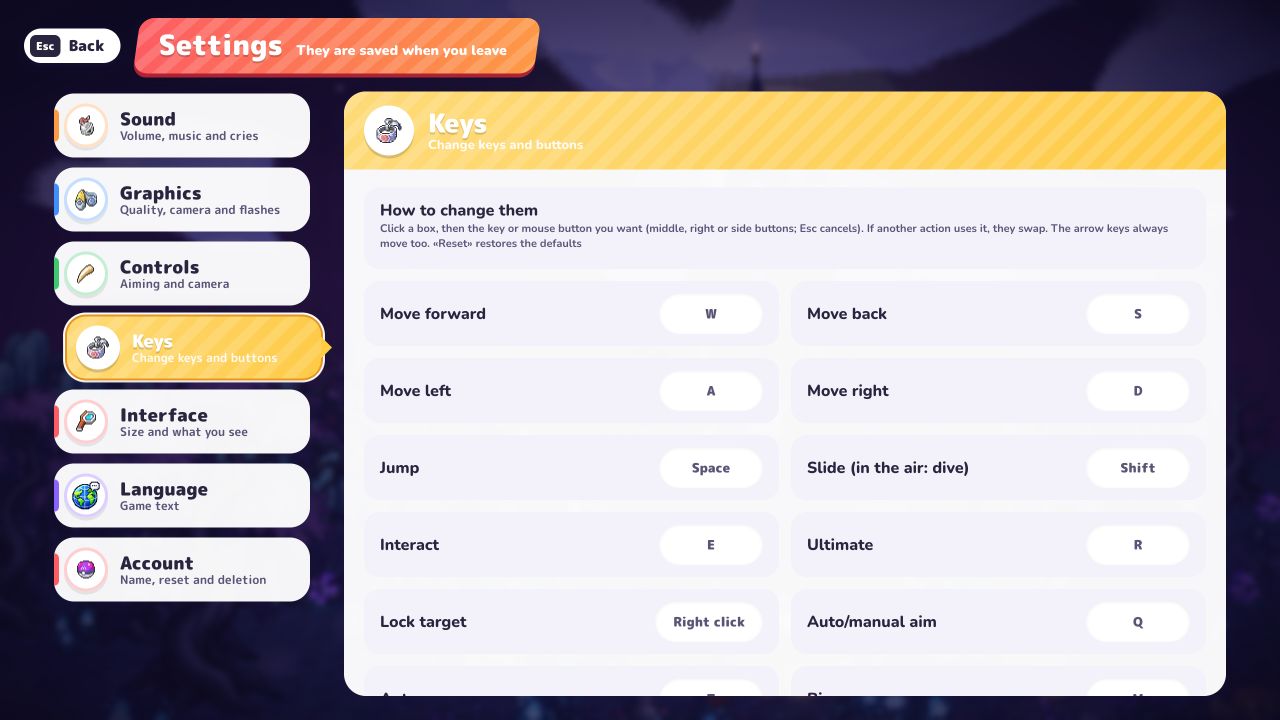 Verified gameplay · Beta v0.8.26
Editorial guide use · Game imagery belongs to its respective rights holders.
A safe first-run goal
Make your first session a learning run: enter the arena, identify the HUD, reach one level-up, compare the three cards and notice what changed after your choice. Do not change partner, mode and difficulty at the same time if you want to understand why a run felt different.